Most product pages are built once and forgotten. Someone writes a description, uploads photos, sets a price, and moves on. Months later, the page is still converting at 1% and nobody’s touched it because “it’s fine.”
The problem is that a good product page isn’t one skill. It’s copywriting, conversion rate optimization, visual design, and brand consistency all at once. No single AI prompt holds all of those disciplines in focus simultaneously.
I’ve written about the adversarial agent approach before — assembling specialized AI agents into a team, giving each one a scoring rubric, and iterating until they all agree the work is good. I recently applied this to a real Shopify product page with a four-agent team: a copywriter, a CRO specialist, a branding expert, and a visual designer. The conversion rate doubled in seven days.
Here’s how to adapt this for your own pages.
Score First, Then Build a Task List
The key adaptation for product pages is turning agent feedback into a concrete task list you can work through.
Point your agent team at the current page and have each specialist score it out of ten against their rubric. You’ll get feedback like: “6/10 — Add to Cart button blends into the background, social proof is buried below three scrolls” from the CRO agent, and “5/10 — product descriptions are feature lists, not benefit statements” from the copywriter.
Combine all of their recommendations into a single prioritized list. This is your improvement backlog. The types of changes that consistently surface across e-commerce pages:
Primary action prominence — more contrast, higher placement on mobile, larger touch target for the CTA. Almost always the highest-impact change.
Mobile layout — product images eating too much vertical space, pushing price and CTA below the fold.
Benefit-oriented copy — shifting descriptions from “what this is” to “what this does for you.”
Social proof repositioning — moving reviews and trust signals closer to the point of purchase decision.
FAQ expansion — every unanswered objection is a reason to leave the page.
Work through the list with yourself in the loop. Don’t hand everything to the AI and walk away. Agents occasionally recommend changes that score well on their rubric but don’t fit your broader context — aggressive urgency tactics that feel off-brand, or rewrites of sections you’ve crafted for a specific reason.
After each batch of changes, re-score. You’ll see numbers climb, and you’ll see new issues surface that weren’t visible before. If you’re not familiar with the challenges of split testing, this iterative approach with agent scoring is a practical alternative — you get structured feedback without needing statistical significance on every change.
Build Features Instead of Buying Apps
One thing that came out of this process: AI agents can build small features that would normally cost $10 to $20 a month as a Shopify app.
CRO agent suggested a social proof notifications — the little popups showing recent purchases. Instead of installing an app, an AI agent wrote a script that pulls real order data from the Shopify API, stores it in metafields, and displays it with a liquid snippet. Twenty minutes of agent time, no monthly fee, no bloated JavaScript, no third-party tracking.
This works for a surprising number of app store features. Countdown timers, stock warnings, cross-sell blocks, announcement bars. If the feature is simple enough to describe, an agent can build a lightweight version that does exactly what you need. This is the same growth engineering approach I’ve been using across my marketing stack — treating your code editor as the platform instead of buying SaaS for everything.
Then Work on the Economics
A better-converting page is only half the equation. If margins are thin and average order value is low, you can’t scale paid advertising profitably.
Once conversion improvements stabilize, shift the agent team to pricing structure. Have them model bundle configurations, free shipping thresholds, COGS at different quantities, pick and pack costs, and shipping rates across weight breaks. The goal is maximizing contribution margin per order while maintaining conversion rates.
What came out of this for me was more aggressive than I would have tested on my own. The AI ran the numbers without the emotional anchoring that comes from having set the original prices yourself. No bias. Just math.
The structural changes worth considering:
Bundle incentives inside the cart — present options the moment someone adds a product, not on a separate page.
Tiered thresholds — make each additional item feel like an obvious deal. Free shipping at one level, a percentage off at the next.
Higher price points — if your page is now doing its job with strong copy and visible social proof, customers may tolerate more than you assume.
Measure Patiently
Page layout changes show results fast. My conversion improvements were clear within the first week.
Avoid changing too much at the same time. It’s hard to isolate what changes were improvement and which were duds.
Give it a shot on your site – let me know how it goes.
I work in the sports industry. We sell tickets, sponsorships, media rights. But what we’re actually creating is entertainment. That’s the core product. Everything else is a derivative.
Most content creators forget this.
They produce tips and tricks. How-tos. Educational content. And there’s a place for that (you’re reading one right now). But scroll through your feed. How much of what you’re actually consuming is educational? How much of it is making you feel something in the moment?
People don’t open TikTok to learn. They open it to feel.
The Hey Al Experiment
Yesterday, I rebooted an old concept I’d been sitting on for years. A short-form video series called “Hey Al.”
The premise: I have conversations with an AI assistant named Al (voiced by a cheerful feminine AI), and things go sideways. Al takes instructions literally. Al lacks the context that makes human requests make sense. Al is helpful to a fault, which is exactly what makes it funny.
It’s fictional comedy. Not a tutorial. Not tips. Not “5 ways to use AI better.”
The first episode (about having a productive day) went out yesterday and performed better than anything educational I’ve posted in months. Not because the production was better. Because people wanted to watch it. They wanted to see what Al would do next.
That’s entertainment.
The Content Creator Trap
Most of us creating content online default to education mode. It feels safer. It feels valuable. You’re giving people information they can use.
Businesses creating content tend to create announcements and ads – boring!
Information is abundant. Entertainment is scarce.
Scroll your own feed. Most of what stops you isn’t a tutorial. It’s something that made you feel curious or surprised. The educational content you actually consume is usually wrapped in entertainment. The YouTuber who makes you laugh while teaching. The thread that opens with a story before the lesson.
Give people what they want. They’re holding a device that used to be called a television. They want to be entertained.
AI-Assisted Production
The irony isn’t lost on me: I’m using AI to produce entertainment about AI.
For Hey Al, Claude Code helped me manage the production pipeline. Script development, extracting audio from video files, converting my voice recording to Al’s voice character, organizing the batch filming schedule.
These aren’t creative decisions. They’re boilerplate labor. The automation frees me to focus on what actually matters: making the joke land.
The ideal state is producing multiple episodes per day, batched and scheduled. We’re not there yet. But the direction is clear.
Quality vs. Quantity Is a False Dichotomy
The world is flooded with content. You’ve heard the advice: focus on quality, not quantity. Or: volume wins, ship more.
But it’s not actually a seesaw where you trade one for the other. Better tools give you better trade-offs on both.
Everything we produce today is higher quality than what was possible in the 1980s. Obviously. But it’s also faster to produce. Both lines went up, because the tools improved.
The bar is always rising. The low bar of yesterday is buried. But if you’re using modern tools, you’re not giving up quality for speed. You’re getting both.
The game isn’t quality or quantity. It’s using the right tools to stay ahead of the rising floor.
The Job
If you’re creating content, you’re in the entertainment business. Whether you like it or not. Whether you’re selling sports tickets or SaaS products or your own personal brand.
Education is a delivery mechanism. The wrapper matters.
Give people what they want. They want to feel something. They want to be entertained.
Claude Code was built for software engineers. It’s a CLI tool that helps developers write, debug, and ship code faster with AI assistance.
I’m using it to run the entire marketing operation for Psychedelic Water.
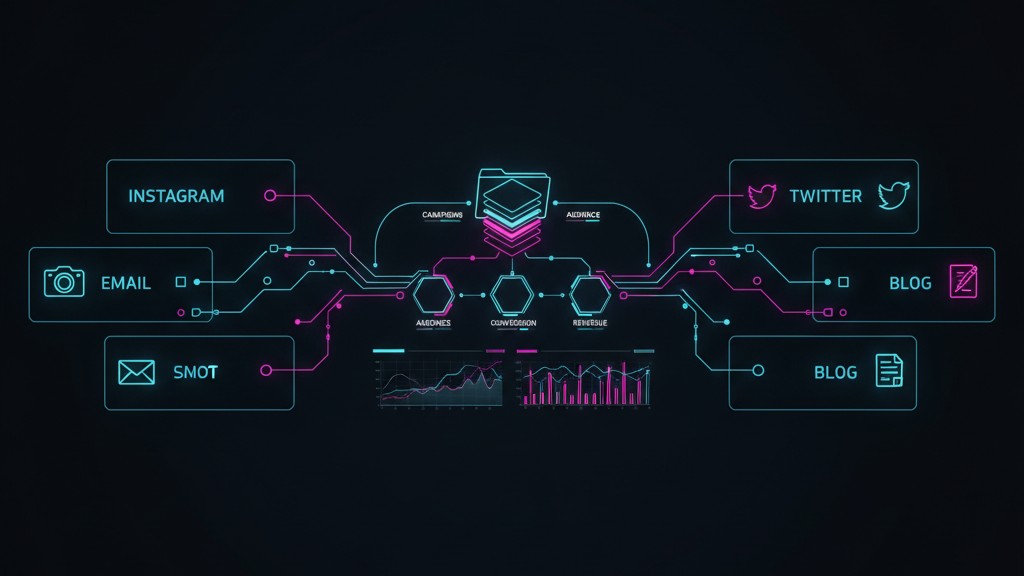
Not the coding parts—though there’s some of that. I’m using it to create content, coordinate campaigns, maintain brand voice across six channels, and build a self-improving system where analytics feed back into strategy. The file system is the CMS. Markdown files are the content. CLAUDE.md files are the strategy documents. And AI is the executor.
Here’s why I think this is where growth engineering is headed.
The Problem with Marketing Tools
Modern marketing requires presence everywhere: Instagram, Twitter, TikTok, YouTube, email, blog, third-party publications. Each platform has its own dashboard, its own analytics, its own content format.
The result is fragmentation. Your Instagram strategy lives in one place. Your email campaigns live in another. Your content calendar is a spreadsheet that’s always out of date. And maintaining consistent brand voice across all of it? Good luck.
Most teams solve this by hiring more people. A social media manager, a content writer, an email specialist, someone to pull analytics together. Each person becomes the keeper of their channel, and coordination happens through meetings, Slack, and hope.
What if the coordination layer was built into the system itself?
The File System as Marketing Infrastructure
At Psychedelic Water, I’ve built a folder structure that serves as the entire marketing operation:
Every channel has its own CLAUDE.md file that defines the strategy for that platform. When I work in the Instagram folder, Claude understands the Instagram strategy. When I work in email, it understands the email strategy. The context is built into the structure.
Strategy as Code
Here’s what a channel-level CLAUDE.md might contain:
Audience: Who we’re talking to on this platform
Voice adjustments: How brand voice adapts for this channel
Content types: What performs well here
Posting cadence: Frequency and timing
Scripts available: What automation exists
Success metrics: What we’re optimizing for
When I ask Claude to draft an Instagram caption, it doesn’t start from zero. It reads the strategy document, understands the voice, knows what’s worked before. The strategic context is embedded in the file system.
The top-level CLAUDE.md contains the overarching marketing goals—what we’re focusing on this month, what story we’re telling, what campaigns are active. This creates consistency. If the focus is on functional ingredients this month, every channel knows it. Instagram, Twitter, email, blog—they’re all telling the same story in their own way.
Scripts as Integrations
Each channel folder contains scripts that handle the platform-specific work:
Blog scripts connect to Shopify to publish content and pull performance data. I can ask Claude to check how last week’s post performed relative to historical averages, and it runs the analytics script, interprets the results, and incorporates that into future recommendations.
Email scripts integrate with Klaviyo to schedule campaigns and pull engagement metrics.
Image generation scripts use AI to create visuals that match the brand aesthetic, then resize them appropriately for each platform.
These aren’t complex applications. They’re small, focused tools—often just a few dozen lines of Python—that bridge Claude Code to the platforms where content lives. The AI orchestrates them; the scripts do the platform-specific work.
This creates a natural archive. I can look back at what we posted, see what performed, understand what we were thinking at the time. When analytics data comes in, it gets saved alongside the content. The system learns from itself.
Cross-Channel Coordination
The hardest part of multi-channel marketing is consistency. You want the same story told everywhere, adapted for each platform’s format and audience.
The campaigns/ folder solves this. A campaign is a coordinated effort across channels:
campaigns/2026-01-functional-focus/
├── strategy.md # The core message and goals
├── instagram/ # Instagram-specific executions
├── twitter/ # Twitter-specific executions
├── email/ # Email-specific executions
└── results.md # What happened
The strategy.md defines what we’re saying and why. Each channel folder contains the platform-specific adaptations. Claude understands that these are connected—if I’m working on the Instagram content, it knows the overarching strategy and can ensure the messaging aligns.
If someone misses the Instagram post, they might catch it on Twitter. If they’re not on social media, they’ll get the email. The story reaches them somewhere.
Why This Works
Claude Code wasn’t designed for this. It was built to help developers write software. But the core patterns translate perfectly:
File system as memory: Just like code lives in files, content lives in files. The structure is the organization.
Markdown as content: Developers write documentation in markdown. Marketers can write content in markdown. It’s portable, version-controlled, and AI-friendly.
Scripts as integrations: Instead of API calls to deploy code, scripts make API calls to publish content or pull analytics.
AI as executor: Instead of writing code, the AI writes content, following the strategic guidelines embedded in the folder structure.
The gap between “AI coding assistant” and “AI marketing operations platform” is smaller than it looks.
What’s Missing
This system isn’t fully automated. Some platforms don’t have good APIs for posting. Some content needs human review before it goes out. The analytics integrations are still being built.
But the bones are there. The organizational structure exists. The strategy is embedded. The feedback loops are forming.
Right now, I work alongside Claude in this system—reviewing drafts, approving posts, adjusting strategy based on what the data says. But the system is designed to become more autonomous over time. As the AI gets better, as the integrations get more complete, the human involvement shifts from execution to oversight.
The Future of Growth Engineering
I think this is where marketing operations is headed. Not more dashboards. Not more point solutions. Not more people managing more tools.
Instead: AI-native systems where the file system is the source of truth, strategy is embedded in the structure, and AI handles the execution across every channel.
Claude Code is a code editor. But it turns out that growth engineering looks a lot like software engineering—just with different outputs. Instead of shipping code, you’re shipping content. Instead of deploying to production, you’re publishing to platforms. Instead of monitoring systems, you’re tracking engagement.
The tools built for one translate surprisingly well to the other.
I’m building this system for Psychedelic Water, where I’m President and Co-Founder. If you’re thinking about AI-native marketing operations, I’d be interested to hear what you’re building.
A couple weeks ago I was inspired to revisit an idea I had launched a business into a decade ago, but failed and shut down. 10 years ago, I built a service called AutomaticBlogMachine, it would deploy wordpress to a new server, set up the theme, install some plugins, and publish content.
However, 2 major things caused it to fail.
Shortly after launch, Google rolled out a series of updates – Penguin, Panda etc that was able to identify the content as machine generated and ignore these website from any SEO impact with ease.
The natual language approaches available at the time were crud and resulted in low value spam. Basic word swapping, translations and gramatical rewording of existing content. Visitors didn’t like it.
Today with LLMs it’s possible to create genuinely value-add content automatically that answers people’s questions, links to the appropriate resources and has unique imagery to accompany it. It can be engaging content.
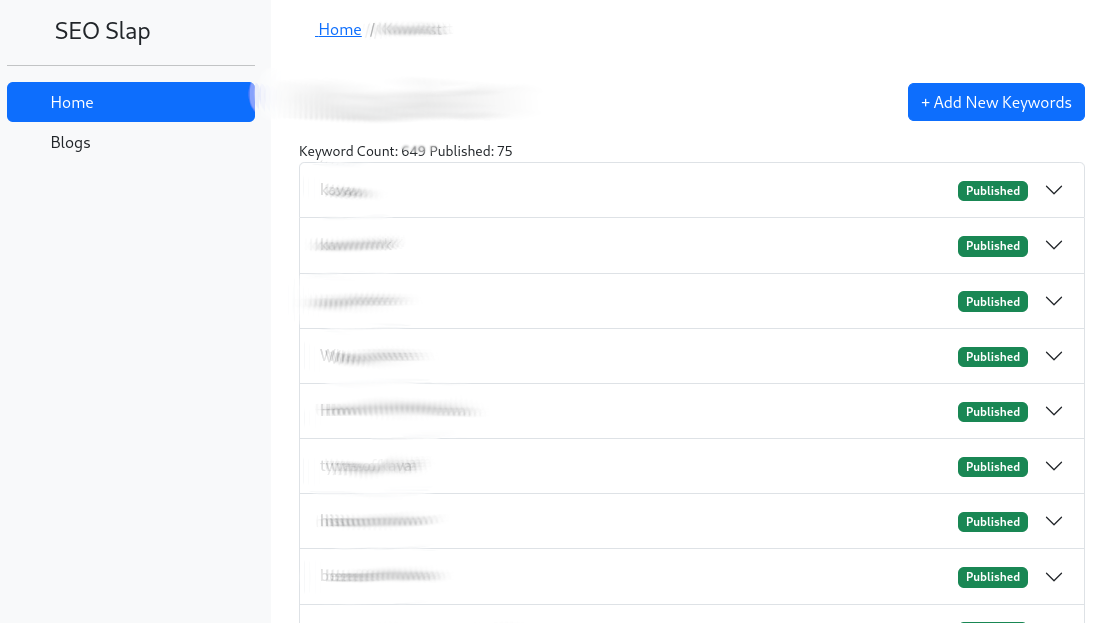
Researching, generating and publishing content automatically using these new approaches is now possible, and so I’m starting an experiement to see how it works.
I’d like to see what happens with a website that has 10,000+pages. How fast should this site grow content? and if there is a growth in traffic, can it be sustainable and monetized?
The bigger idea is to build a system (again) that can be used as a domain parking service. It grows the domain rank over time passively, and ideally generates revenue along the way.
At different times in a business success means different things. Sometimes it’s measured in Likes and views, other times in ROAS or ACOS, other times it’s in brand recall. But as with most things in business, if you don’t measure you aren’t in control of it. So KPIs for your marketing efforts is an important aspect of understanding if things are working as intended.
I have been drawn to sales and direct marketing approaches in the past because the metrics are easy to collect. I think most small companies should start here. The direct testing enables quicker learning which can then form the backbone of a brand. Where as jumping straight into brand marketing usually requires a lot of assumptions.
With one-on-one sales you get immediate and clear annecdotal feedback about what customers want. Then expand with direct marketing ads to scale those up to 10,000+ people to further refine the messaging and targeting, and test the market further. Finally layering in the branding in a way that applies everything you’ve learned so far.
Easier said than done. People feel compelled to start with a logo.
As you get more sophisticated, something I have not yet explored is Marketing Mix Modeling approaches to measure the effectiveness of marketing. With a complex set of marketing channels in which to budget marketing spend this is probably the best way to assess how it all is affecting sales.
That’s how I think about measuring the success of marketing. This journaling prompt came from Daily Founder Fuel a very short daily newsletter that contains a journaling prompt for founders, entreprenurs and business owners.
Getting and growing attention is the core of any marketing strategy. But standing out is harder than ever when everyone is equipped with high quality cameras, microphones and great software.
Today I’m going to tell you about how I’m leveraging AI to accelerate the production of short form video content that I’m cross posting to TikTok, Instagram, Facebook and YouTube.
When thinking about producing short-form video here’s what I consider important:
Develop a format and style that can repeat. This reduces the amount of decisions that need to be made and streamlines the production. It also makes the videos more binge-worthy, since people who like one will be highly likely to enjoy the other videos.
The structure should have a strong hook – most videos on these platforms have 1 second to grab your attention. If you manage to keep 50% of people past the 3rd second you’re doing well.
Make the content valuable – entertainment value or educational value. High value content is more likely to get shared
Don’t spend too much time/money on producing a short video. These things have a short life-span. Going super viral is a lot of luck so embrace “internet ugly”.
Always be testing – use the short lifespan to your advantage – re-edit and re-post often. Remember, 90% of people who saw the video, didn’t watch the whole thing, the remaining 10% will have forgotten about it by next week.
So, here’s a strategy I’ve started to use to develop a personal brand presence. I developed a structure for the videos that include (in my case) 5 stages:
Opening/hook
Conflict
Escalation
Resolution or cliffhanger
Closing
Then I add some additional constraints:
Must be easily recorded with just myself and a phone camera
very few if any props or setting changes
no special effects required
With the help of ChatGPT, I asked for help developing the first 10 video ideas that can fit this criteria and BOOM! There’s a list of concepts.
Just a little bit of workshopping these ideas to turn them into short 8-10 line scripts.
In my case I decided to have an AI character in my scripts. This adds to the complexity of editing. But it’s kind of fun, so here’s what I did for that:
Use the voices from elevenlabs.io to generate the audio files. Interesting note here – The speech-to-speech AI option can match the tone and cadence but with another character’s voice – which helps with telling jokes.
Used CapCut video editor – this is significantly easier to use than Adobe’s professional tools. It layers in the video with the extra audio track. A short video can be edited in less than 10 minutes.
Take advantage of automated AI caption generation – they’re usually 95% correct and the timing is aligned for you. People often watch with the sound off – so captions are important.
SEO is a part of the process with publishing videos. I use ChatGPT to help write a video title and description that matches the video and provides enough textual content for indexing the video.
Putting this together and a bit of practice it’s possible to script, record, edit and publish a decent short video in as little as 15 minutes.
Email segmentation is going to be a sexy topic in 2024. But perhaps you don’t believe me yet.
Email segmentation helps you sort your subscribers into different groups. For e-commerce this is critical. Not all contacts are at the same part of the journey with your brand, and not all benefit from the same messages.
Sending poorly targeted emails does considerable harm to your ability to contact your customers in the future. Doubly so as inbox providers like Google and Yahoo clamp down on spam to reduce the amount of noise in people’s inboxes. An unopened and unclicked email is a signal to Google that you send bad emails. Don’t train Google’s spam filters this way.
Send the right email to the right person.
Email is not dead. Email has been the biggest driver of growth and revenue for most businesses. It is the audience that you have the most direct control over. Unlike social media followers, email is less likely to be blocked due to closed accounts or algorithm changes.
Email continues to grow. Here’s some stats:
Segmented emails drive 30% more opens and 50% higher CTRs than unsegmented ones
Email drives an impressive ROI of $36 for every $1 invested
81% of B2B marketers say their most used form of content marketing is email newsletters
there are 4 billion daily email users globally, expected to climb to 4.6 billion by 2025
38% of brands are increasing their email budget, just 10% are cutting.
Today, marketers use AI for emails to help in the writing of copy. Crafting a better subject line is something AI is great at. Great copy can help engage more readers to open and click. But it’s only part of the equation.
Using AI to segment your contacts opens many new possibilities. Advanced segmentation is hard data analysis and as a result mostly a tactic used only by sophisticated marketing teams. AI democratizes this kind of analysis. It helps even smaller brands focus their marketing at the people most likely to appreciate it.
AI has the ability to take what would be complex software logic and turns it into the business question.
Given a customer profile you can ask questions:
has this customer churned?
does this customer like to use coupons / are they price insensitive?
do they live in the North East?
is this customer a VIP?
Each of these questions could be answered with various logical checks – written in code, or implemented in spreadsheets. AI models like GPT-4 can answer if provided with english.
It won’t be long before solutions like this are scaled up and available to email marketers for defining segments.
If this is something you find intriguing lets connect – I’m looking for beta testers for case studies. Let me segment your customers for you! I’m accepting 5 test clients to run this system with and prove it out.
How much AI is too much AI? When have you gone too far?
This is a story of how I used AI on Twitter and what it taught me about posting AI generated content.
In April of 2023, AI generated images were just getting good enough to blur the line of easily identifiable as AI generated. The quality passed a threshold to be more useful.
I had the idea of using this new capability to re-invigorate a neglected Twitter account. The plan was to post 3x a day, using AI to help write and provide images for the posts. It would take less time, and I’d batch up and schedule a week of content at a time. 7 days times 3 per day = 21 posts created every Monday morning. I’d try to keep the time commitment for this below 2 hours per week.
To be fully transparent – I used my personal account to comment about how each post was created, and share more information about the performance of this test.
So what happened?
325k impressions over 60 days of experiment
This took what was an account that reached zero people, and instead we reached over 300k people with our brand. Considering the only cost was my time it seems like a decent return.
However, you’ll immediately notice that big spike. This was a learning moment. Twitter’s algorithm is not geared towards discovery like TikTok – it’s not easy to ‘go viral’ with a post unless you have a big follower count.
You can see that the posts from April 1st up to mid April received just a trickle of engagement.
While the increase in posts saw an increase in impressions as a result (and no complaints) our organic reach was limited by our follower count. Around April 20 the strategy shifted.
Instead of posting to the public feed, I’d spend most of the time going after trending topics and conversations. Jump into the replies with a relevant on-brand take that contributes some fun into the conversations that were already happening.
Lesson: Use social media to be social.
Tapping into the attention that already exists proved to be a 10x multiplier. In contrast, yelling into the void and expecting someone to hear is not a great strategy.
The great thing is that AI enabled a much broader set of conversations than I could have handled on my own, and add a comment or graphic that was more on point and stood out. I could jump from a reply about what happened at the Oscars and then right into a science question before dropping some heat on a live play-by-play of the NBA game.
AI can fill in the knowledge gaps about who the actor is, what position the player has or parsing some research paper while also mixing in jokes and adding creative flair. It’s super-human, and a great example of how a person with AI can do better than either on their own.
Using an LLM to ask “What is an on-brand response to this tweet: XXXX” was all that was needed to get the inspiration for a quick reply. And if it made sense – “Write the description of an image to go along with that reply” which could be converted into an image in a minute or two.
With this kind of workflow, I could write more timely, more engaged and more relevant replies. Instead of 200 impressions on a post, some of those replies got 10,000+ impressions by grabbing the attention of bigger accounts.
This is how I used AI to wield social media with super-human skill.
If you liked this story – please share it with your social media manager.
When the hype of GPT-3 landed and everyone was proclaiming that AGI was around the corner and Minority Report style targeted advertising was almost possible, I wanted to see what was actually doable.
So I did, I grabbed data about a small subset of customers, and wrote a script that would use OpenAI’s APIs to write a custom email to each and every person. Hundreds of personalized emails materialized in a matter of minutes, and I used Klaviyo’s APIs to push these custom blocks of text to the subscriber record in the email platform.
Would these emails avoid getting considered spam due to having more unique text in them?
Would they avoid the promotion filters if they were written to be more personal?
I pressed send, and it worked.
Did I try it again? No.
Not because the results weren’t there, but because it was so tedius to do.
Most people use QR codes as a way to print a link. But they can be so much more.
Overview
QR codes are like the UPC scannable barcodes we are familiar with except they store information in 2D (up-down and left-right). They usually store a URL or link.
The codes are designed to be quick and easy for mobile phone cameras to scan them – even if rotated or partially obscured.
This document contains QR Code best practices that apply for lots of use cases but are particularly useful for ecommerce businesses.
The Big Idea
💡 QR codes should use links that include context about where the QR code will be placed, and NOT where you want the link to go
You accomplish this with an updateable redirect link. Which provides 3 important benefits:
You can change the destination of the link in the future.
Shorter links result in smaller QR codes, which are physically smaller, and quicker to scan.
trackability – knowledge of which codes people are scanning
Tip: Use a redirection tool that works with your existing web domain name. This is because the camera app will display the domain to hint at the destination before you click on it.
To be a bit more concrete. Lets say you sell a blue water bottle, the SKU is BWB200 and the QR code will be placed on the bottom permanently. you could create a link like :
https://example.com/qr/BWB200/BTM
We’ll get to where that goes a bit later. The important bit is that this link tells you the person scanned a qr code, on that particular SKU and it was the one on the bottom of the bottle.
Having a naming convention can help later if you need to do bulk updates to links or to sort and understand everything at a glance, while also being short.
If someone goes to this link – you know they are physically holding your product. You use a different QR for a billboard ad, or business card – even if they all go to your homepage.
How to Make QR Code Images
There is nothing particularly magic about making QR code images, you don’t need to purchase anything for it. There are countless free webpages that generate QR codes you can download without watermarks.
Using one of these tools, you can create the QR code by providing a URL (ex: https://example.com/qr/BWB200/BTM) and downloading the resulting image file.
From there, you can work with it in your graphic program of choice. (you can put logos in the middle and cover a small number of dots in some cases)
Use a CTA. Ask people to scan the code, and give an indication of what it does. A QR code on it’s own will rarely get scanned.
⚠️ Always test the QR code with your phone to make sure it continues to work as expected before publishing or committing it to be printed.
Use Redirects
So you’ve got a link that you want to use and redirect to the ultimate destination that the user should land. Lets figure out just what is possible here, and how to set it up.
Consider the QR code on the bottle example from earlier. The person is holding that bottle when they scan it, they may want cleaning instructions, or to check the warranty, or to buy another for a friend. Perhaps in the future, you’ll have a dedicated page that’s mobile friendly specifically for the most common customer actions in this moment. For now, lets just go to the PDP.
A redirect lets us get the printable QR well before the pages exist, or to change the pages in the future if it needs to be optimized.
Let’s say the product page is https://example.com/product/bottle
you can put that as the destination for the redirect and it’ll work, but you won’t know if people are scanning the QR to get to the page. It’ll show as an unhelpful “Direct” in all the analytics.
💡 Use UTMs on the redirect destination. It’ll help you see how often these QR codes get scanned from within Google Analyics, Shopify reports or other stats collecting tools.
What would be more helpful is to expand the destination with some of these UTMs like:
Now you’ll see in Google Analytics, under traffic aquisition, how many times that drives traffic, how much of that traffic creates sales and you can dig into many other factors – device types, demographics, bounce rates, etc.
Side Note: For links to Amazon, there’s a couple things to keep in mind which are detailed further down.
What are UTMs?
UTM is a convention for extra parameters on a link to track the effectiveness of marketing efforts. The common parameters are:
utm_source (e.g. newsletter, twitter, google)
utm_medium (e.g. email, social, cpc)
utm_campaign (e.g. fall2023, fb_campaign32)
If you haven’t spent time on UTMs it can be a worthwhile exercise to organize and develop standards for your business so that across all places things get grouped for easier analysis.
Creating Shopify Redirects If you run your store on Shopify, it has redirects built in (no app required): https://admin.shopify.com/admin/redirects Here’s a screenshot of what that looks like for the previous example, notice that it starts from the ‘/’ and doesn’t include the full domain name part of the URL.
Once you save that redirect, if you’ve followed along all the steps you now have a QR code that redirects to the PDP. Yay! 🎉
Special Shopify Links to Know AboutApply A Discount Link that auto-applies a discount code: use example.com/discount/CODE to go to the homepage of your site and have the discount already applied in the person’s cart.
Straight to Checkout Link straight to checkout (buy button link) with item and (optional) discount code: example.com/cart/<variant ID>:<quantity>?discount=10off
Could be useful on a QR with a “re-order” CTA
Find these links using the “Create a checkout link” action on a product
Creating Redirects to Amazon If you have shopify or wordpress (or another) service hosting your website, use that for redirects, and just put the full URL in as the target including https://amazon.com part. If you do not have a hosted website to use there’s two options:
A paid service that hosts the redirects – bitly.com is an option, and has an integrated QR generator. But keep in mind that the codes will show bitly instead of your brand, and you have to keep paying or you can lose access to features, and possibly break existing QR codes.you link directly to Amazon pages, which runs the risk of pages moving and the QR going to a 404 page at some point in the future.
⚠️ Be aware of Amazon terms for directing customers who buy there to another web store.
Special Amazon Links
Brand Referral Bonus Links If you have a brand registered with Amazon, you have the ability to generate brand referral links which pay a commission to offset some of your Amazon sales fees. For all links, you should try to put them into Brand Referral Bonus, the savings can be very significant. Run the links you generate below 👇 into this to get credit for all the traffic you send to Amazon.
Store Insights Links You can link to your store with trackable URLs. This can be a great option because store pages can be treated like a landing page and have fewer distractions than on the product details page.
Review your purchase The page https://amazon.com/ryp is where customers can leave a review for their recent purchases.
Direct Add to cart, Search pages and other It’s possible and can be useful to link to searches for your products (Two step URL) or to link directly to a cart with products in it. Helium 10 has a free tool to help you make these links: https://www.helium10.com/tools/free/url-builder/
QR Code Use Cases
Quick Reorder a Consumable
Got a consumable product like a food item, water filter, cleaning supplies or stationary?
Putting a QR code on the product or the product packaging itself means that when someone scans that QR code, they are likely holding your product in their hand. Consider if a quick reorder is what could they be looking for.
You can go straight to the PDP, or even test automatically adding product to the cart.
Ask for a Review
Instructions for getting a review are difficult to write out. A QR can get straight to where the review can be given.
Insert cards can be a great way to ask for customer feedback. Just be sure to stay within Amazon guidelines.
QR Code on the Packaging
Putting a QR code on the product or the product packaging itself means that when someone scans that QR code, they are likely holding your product in their hand. What are they looking for? product information, a manual, perhaps how to order more.
Consider what they’re looking at and where that person might be when they scan the code.
If this is on the front of the outer packaging and the product may be placed in bricks and morter stores, then the person may be looking at it on the shelf, in which case, bringing up a page with product reviews and information is a strong move to help move that person to purchase.
OOH Advertising
Tracking out-of-home ads can be difficult, and QR codes are no perfect solution, but they do give an indication of engagement with an ad. They make billboards actionable CTAs that can drive immediate sales.
Print Advertising
Similar to OOH, print ads often mention web addresses, they sometimes use Discount codes to track the effectiveness of an ad. QR codes provide another way to measure engagement with print ads.
YouTube and Video Advertising
The content people watch on TV can be hard to action. If you watch videos from your phone you can easily get to the “links in the description”, but when watching from 7ft away on the TV a QR code can be more actionable than asking people to type in or search for a web address.
If you do try this, recall the Coinbase superbowl ad, where the QR was on the TV for enough time for people to get their phones out and scan it.
Networking
QR codes can be used to store a “vCard”. A digital business card that can directly add your contact information into someone else’s contacts list on their phone. With a single click they can get your phone, email, full name, company and other details.
It can be a good way to get your info into people’s phones, without typos or having to write it out. Add one to your business card.
Use one of the QR generators listed earlier, some of them know how to generate this format of QR Code.
Staying Organized
If you are following the suggestions here, you may find that you have A LOT of QR codes to build links for, to generate QR codes for and pass all these to designers for implementing into labels, stickers, packaging, or advertisements.
A shared document like a google sheet, notion page or something else that works for your team is a good place to keep everything and refer back to.
At some point in the future, you’ll be doing an SEO restructure of urls, changing platforms and break a bunch of redirects. You’ll want to have a list of all the QR codes that exist in the wild to double check they continue to work.
The Shopify and wordpress redirect features include the ability to upload spreadsheets which can make bulk changes much more manageable.
🎁 Advanced Bonus: if you need to create many tens or hundreds of QR codes, do it with automation. I have a Python script that generates QR codes from a spreadsheet available on GitHub https://github.com/mfwarren/AmazonScripts/tree/main/qr_codes
QR Code Best Practices
A QR code is a camera scannable link.
Use a short link that indicates where the code will be placed, not where it’s going.
Create the QR code with that short link.
Use a redirect to expand that short link into one that includes UTMs for analytics, referral codes for earning additional $, add discounts, and ultimately delivers the person to the destination.
Use QR codes, on the product, the packaging, on insert cards, business cards, and in adverstisements
Use a CTA next to the QR code
Final Call to Action
Know some QR tricks not mentioned here? Connect with me on Twitter: @Matt_Warren