
Category: Software Engineering

Coding, Python, web development, architecture, and deployment

  • Building a Personal Knowledge Base: How I Created a Semantic Search Engine Over Everything I’ve Ever Made

    Building a Personal Knowledge Base: How I Created a Semantic Search Engine Over Everything I’ve Ever Made

    I’ve been creating content for years. YouTube videos, blog posts, tweets, podcast appearances, internal docs for my company. Thousands of pieces scattered across platforms and folders.

    Here’s the problem: I can’t remember what I’ve said.

    Not in a concerning way. In a “did I already share that framework?” or “what was that thing I said about distribution vs product?” way. My past content exists, but I can’t access it when I need it. When I sit down to write something new, I’m starting from scratch instead of building on foundations I’ve already laid.

    The Inspiration

    I was listening to a podcast where Caleb Ralston (a personal branding creator on YouTube) mentioned that his team had built an “AI database” of all his historical content. They transcribed every video he’d ever appeared in and turned it into something searchable. It let them understand his existing talking points, find frameworks he’d already developed, and maintain consistency across content.

    The concept stuck with me. What would it look like to build something similar for myself?

    What I Built

    A local semantic search engine that can answer questions about my own content. The entire system runs on my laptop. No cloud services, no API costs after setup, complete privacy.

    The stack is surprisingly simple:

    • ChromaDB for vector storage
    • Ollama for local embeddings (nomic-embed-text model)
    • Python script to ingest and query
    • Markdown as the universal format

    Total setup: maybe 200 lines of code.

    How It Works

    1. Collect content – YouTube transcripts (downloaded via yt-dlp), blog posts, docs, anything in text form
    2. Chunk it – Split documents into ~500 word segments with overlap
    3. Embed it – Convert each chunk to a vector using Ollama locally
    4. Store it – ChromaDB persists everything to disk
    5. Query it – Semantic search returns relevant chunks for any question
    # Ingest all content
    uv run build-kb.py --ingest
    
    # Ask questions
    uv run build-kb.py --query "What have I said about content systems?"
    uv run build-kb.py --query "My thoughts on distribution vs product"

    The “semantic” part matters. I’m not doing keyword matching. When I ask about “content systems,” it returns chunks that discuss workflows, automation, and publishing pipelines—even if those exact words aren’t used. The embedding model understands meaning, not just strings.

    The Obsidian Connection

    Here’s where it gets interesting.

    My entire working directory is a folder of markdown files. Blog posts, notes, drafts, transcripts—all .md files in a structured hierarchy. That folder is also an Obsidian vault.

    Obsidian gives me:

    • Visual browsing – Navigate content through a nice UI
    • Linking – Connect related ideas with [[wiki-style links]]
    • Graph view – See how concepts cluster together
    • Search – Quick full-text search when I know what I’m looking for

    The knowledge base adds:

    • Semantic search – Find content by meaning, not keywords
    • Cross-reference discovery – “What else have I said that’s similar to this?”
    • Topic clustering – Analyze patterns in what I talk about most

    They complement each other. Obsidian for browsing and organizing. The knowledge base for querying and discovering.

    What I Discovered

    After ingesting ~400 chunks from my content, I ran an analysis to find topic clusters. The results were illuminating:

    TopicFrequency
    Claude Code / AI automation86 mentions
    Content systems & workflows75 mentions
    Marketing & business106 mentions
    Founder productivity / goals62 mentions

    The phrase “claude code” appeared 38 times in my personal brand content. “Content” appeared 131 times. These are the themes I return to constantly.

    More useful than the raw counts were the semantic clusters. When I queried “What have I said about content systems?”, I got back chunks from:

    • A blog post about growth engineering with Claude Code
    • A YouTube video called “Creating a Content System”
    • Internal documentation about creative direction

    Content I’d forgotten I made. Ideas I’d already articulated that I can now build on instead of recreating.

    The Broader Pattern

    This is part of something I’ve been calling “growth engineering”—treating marketing infrastructure like software infrastructure. The knowledge base is one component.

    The full system looks like this:

    Working Directory (Obsidian Vault)
    ├── posts/           # Blog content
    ├── content/         # Thought leadership drafts
    ├── knowledge-base/  # Vector DB + scripts
    │   ├── youtube-transcripts/
    │   ├── chroma-db/
    │   └── build-kb.py
    └── products/        # Product pages and docs

    Everything is markdown. Everything is version controlled. Everything is queryable.

    When I want to write something new:

    1. Query the knowledge base: “What have I said about [topic]?”
    2. Review existing content in Obsidian
    3. Build on what exists instead of starting fresh
    4. Publish through the same markdown → WordPress pipeline

    The AI isn’t writing my content. It’s helping me remember and organize what I’ve already created. The knowledge base becomes institutional memory for a one-person operation.

    How to Build Your Own

    If you want to try this, here’s the minimal setup:

    1. Install Ollama

    brew install ollama
    ollama serve
    ollama pull nomic-embed-text

    2. Create the ingestion script

    The core is maybe 100 lines. Collect documents, chunk them, embed them, store them in ChromaDB. The full script is in my knowledge-base repo.

    3. Point it at your content

    YouTube transcripts are easy:

    yt-dlp --write-auto-sub --sub-lang en --skip-download \
      "https://www.youtube.com/@your-channel"

    Markdown files just need to be in a folder. The script recursively finds them.

    4. Query away

    uv run build-kb.py --query "your question here" -n 10

    The embedding model runs locally. No API keys needed after you pull the model. Completely private—your content never leaves your machine.

    The Meta Layer

    There’s something recursive about using AI to build the system that helps me leverage AI.

    Claude Code helped me write the ingestion script. It helped me debug the VTT parsing for YouTube transcripts. It helped me analyze the topic clusters. Now the knowledge base feeds context back into Claude Code when I’m working on new content.

    The tools build the tools that improve the tools.

    That’s the pattern I keep returning to. Not “AI writes my content” but “AI amplifies my ability to create and connect my own content.” The knowledge base doesn’t have opinions. It has receipts—everything I’ve said, searchable by meaning.

    For someone building a personal brand, that’s the foundation. Know what you’ve said. Build on it. Be consistent AND repetitive but in unique ways. Let the system remember so you can focus on what’s new.

  • Growth Engineering with Claude Code: Why Your Next Marketing Platform is a Code Editor

    Growth Engineering with Claude Code: Why Your Next Marketing Platform is a Code Editor

    Claude Code was built for software engineers. It’s a CLI tool that helps developers write, debug, and ship code faster with AI assistance.

    I’m using it to run the entire marketing operation for Psychedelic Water.

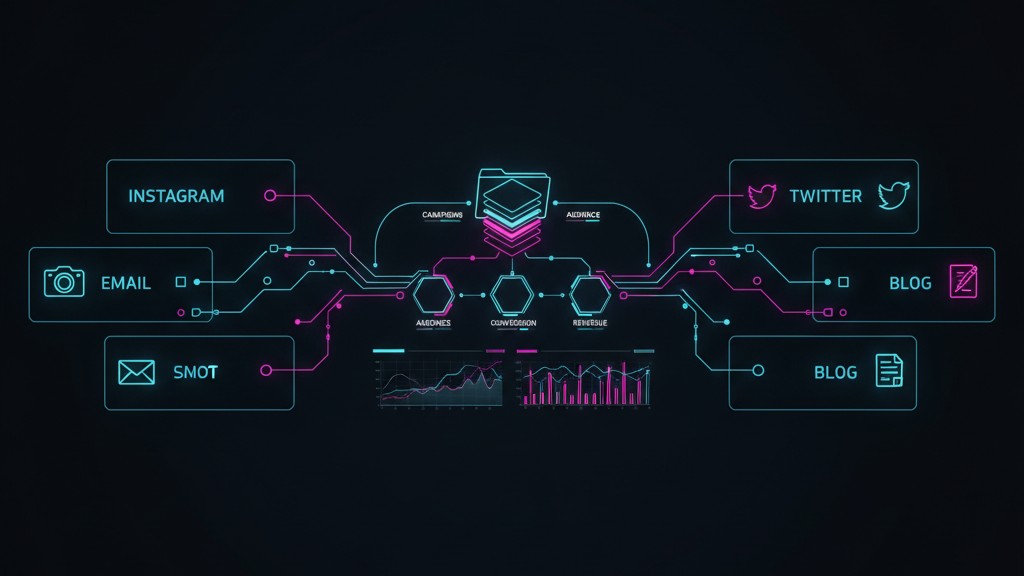
    Not the coding parts—though there’s some of that. I’m using it to create content, coordinate campaigns, maintain brand voice across six channels, and build a self-improving system where analytics feed back into strategy. The file system is the CMS. Markdown files are the content. CLAUDE.md files are the strategy documents. And AI is the executor.

    Here’s why I think this is where growth engineering is headed.

    The Problem with Marketing Tools

    Modern marketing requires presence everywhere: Instagram, Twitter, TikTok, YouTube, email, blog, third-party publications. Each platform has its own dashboard, its own analytics, its own content format.

    The result is fragmentation. Your Instagram strategy lives in one place. Your email campaigns live in another. Your content calendar is a spreadsheet that’s always out of date. And maintaining consistent brand voice across all of it? Good luck.

    Most teams solve this by hiring more people. A social media manager, a content writer, an email specialist, someone to pull analytics together. Each person becomes the keeper of their channel, and coordination happens through meetings, Slack, and hope.

    What if the coordination layer was built into the system itself?

    The File System as Marketing Infrastructure

    At Psychedelic Water, I’ve built a folder structure that serves as the entire marketing operation:

    psychedelic-marketing/
    ├── CLAUDE.md                    # High-level strategy and goals
    ├── products/                    # Product info, photography, specs
    ├── brand/                       # Voice guidelines, visual assets
    ├── channels/
    │   ├── instagram/
    │   │   ├── CLAUDE.md            # Instagram-specific strategy
    │   │   ├── scripts/             # Posting, analytics, scheduling
    │   │   └── drafts/              # Content in progress
    │   ├── twitter/
    │   │   ├── CLAUDE.md
    │   │   ├── scripts/
    │   │   └── drafts/
    │   ├── email/
    │   │   ├── CLAUDE.md
    │   │   ├── scripts/             # Klaviyo integration
    │   │   └── campaigns/
    │   ├── blog/
    │   │   ├── CLAUDE.md
    │   │   ├── scripts/             # Shopify publishing, analytics
    │   │   └── posts/
    │   └── ...
    ├── analytics/                   # Performance data, reports
    └── campaigns/                   # Cross-channel coordinated efforts
        └── 2026-01-functional-focus/
            ├── strategy.md
            ├── instagram/
            ├── twitter/
            └── email/

    Every channel has its own CLAUDE.md file that defines the strategy for that platform. When I work in the Instagram folder, Claude understands the Instagram strategy. When I work in email, it understands the email strategy. The context is built into the structure.

    Strategy as Code

    Here’s what a channel-level CLAUDE.md might contain:

    • Audience: Who we’re talking to on this platform
    • Voice adjustments: How brand voice adapts for this channel
    • Content types: What performs well here
    • Posting cadence: Frequency and timing
    • Scripts available: What automation exists
    • Success metrics: What we’re optimizing for

    When I ask Claude to draft an Instagram caption, it doesn’t start from zero. It reads the strategy document, understands the voice, knows what’s worked before. The strategic context is embedded in the file system.

    The top-level CLAUDE.md contains the overarching marketing goals—what we’re focusing on this month, what story we’re telling, what campaigns are active. This creates consistency. If the focus is on functional ingredients this month, every channel knows it. Instagram, Twitter, email, blog—they’re all telling the same story in their own way.

    Scripts as Integrations

    Each channel folder contains scripts that handle the platform-specific work:

    Blog scripts connect to Shopify to publish content and pull performance data. I can ask Claude to check how last week’s post performed relative to historical averages, and it runs the analytics script, interprets the results, and incorporates that into future recommendations.

    Email scripts integrate with Klaviyo to schedule campaigns and pull engagement metrics.

    Image generation scripts use AI to create visuals that match the brand aesthetic, then resize them appropriately for each platform.

    These aren’t complex applications. They’re small, focused tools—often just a few dozen lines of Python—that bridge Claude Code to the platforms where content lives. The AI orchestrates them; the scripts do the platform-specific work.

    Content as Dated Folders

    Every piece of content lives in a dated folder:

    channels/instagram/drafts/
    ├── 2026-01-20-functional-energy/
    │   ├── caption.md
    │   ├── image.jpg
    │   ├── notes.md
    │   └── analytics.json
    ├── 2026-01-21-behind-the-scenes/
    │   ├── caption.md
    │   ├── images/
    │   └── notes.md

    This creates a natural archive. I can look back at what we posted, see what performed, understand what we were thinking at the time. When analytics data comes in, it gets saved alongside the content. The system learns from itself.

    Cross-Channel Coordination

    The hardest part of multi-channel marketing is consistency. You want the same story told everywhere, adapted for each platform’s format and audience.

    The campaigns/ folder solves this. A campaign is a coordinated effort across channels:

    campaigns/2026-01-functional-focus/
    ├── strategy.md          # The core message and goals
    ├── instagram/           # Instagram-specific executions
    ├── twitter/             # Twitter-specific executions
    ├── email/               # Email-specific executions
    └── results.md           # What happened

    The strategy.md defines what we’re saying and why. Each channel folder contains the platform-specific adaptations. Claude understands that these are connected—if I’m working on the Instagram content, it knows the overarching strategy and can ensure the messaging aligns.

    If someone misses the Instagram post, they might catch it on Twitter. If they’re not on social media, they’ll get the email. The story reaches them somewhere.

    Why This Works

    Claude Code wasn’t designed for this. It was built to help developers write software. But the core patterns translate perfectly:

    File system as memory: Just like code lives in files, content lives in files. The structure is the organization.

    Markdown as content: Developers write documentation in markdown. Marketers can write content in markdown. It’s portable, version-controlled, and AI-friendly.

    Scripts as integrations: Instead of API calls to deploy code, scripts make API calls to publish content or pull analytics.

    AI as executor: Instead of writing code, the AI writes content, following the strategic guidelines embedded in the folder structure.

    The gap between “AI coding assistant” and “AI marketing operations platform” is smaller than it looks.

    What’s Missing

    This system isn’t fully automated. Some platforms don’t have good APIs for posting. Some content needs human review before it goes out. The analytics integrations are still being built.

    But the bones are there. The organizational structure exists. The strategy is embedded. The feedback loops are forming.

    Right now, I work alongside Claude in this system—reviewing drafts, approving posts, adjusting strategy based on what the data says. But the system is designed to become more autonomous over time. As the AI gets better, as the integrations get more complete, the human involvement shifts from execution to oversight.

    The Future of Growth Engineering

    I think this is where marketing operations is headed. Not more dashboards. Not more point solutions. Not more people managing more tools.

    Instead: AI-native systems where the file system is the source of truth, strategy is embedded in the structure, and AI handles the execution across every channel.

    Claude Code is a code editor. But it turns out that growth engineering looks a lot like software engineering—just with different outputs. Instead of shipping code, you’re shipping content. Instead of deploying to production, you’re publishing to platforms. Instead of monitoring systems, you’re tracking engagement.

    The tools built for one translate surprisingly well to the other.


    I’m building this system for Psychedelic Water, where I’m President and Co-Founder. If you’re thinking about AI-native marketing operations, I’d be interested to hear what you’re building.

  • Claude Code First Development: Building AI-Operable Systems

    Claude Code First Development: Building AI-Operable Systems

    Most developers think about AI coding assistants as tools that help you write code faster. But there’s a more interesting question: how do you architect your systems so an AI can operate them?

    I’ve been running production applications for years. The traditional approach is to build admin dashboards – React UIs, Django admin, custom internal tools. You click around, run queries, check metrics, send emails to users. It works, but it’s slow and requires constant context-switching.

    Here’s the insight: Claude Code is a command-line interface. It can run shell commands, read output, and take action based on what it sees. If you build your admin tooling as CLI commands and APIs instead of web UIs, Claude Code becomes your admin interface.

    Instead of clicking through dashboards to debug a production issue, you tell Claude: “Find all users who signed up in the last 24 hours but haven’t verified their email, and show me their signup source.” It runs the commands, parses the output, and gives you the answer.

    This is Claude Code First Development – designing your production infrastructure to be AI-operable.

    The Architecture

    There are three layers to this:

    1. Admin API Layer

    Your application exposes authenticated API endpoints for admin operations. Not public APIs – internal endpoints that require admin credentials. These give you programmatic access to:

    • User data (lookups, activity, state)
    • System metrics (signups, WAU, churn, error rates)
    • Operations (send emails, trigger jobs, toggle features, issue refunds)

    2. CLI Tooling

    Command-line tools that wrap those APIs. Claude Code can invoke these directly:

    ./admin users search --email "foo@example.com"
    ./admin metrics signups --since "7 days ago"
    ./admin jobs trigger welcome-sequence --user-id 12345
    ./admin logs errors --service api --last 1h

    3. Credential Management

    The CLI tools handle authentication – reading tokens from environment variables or config files. Claude Code doesn’t need to know how auth works, it just runs commands.

    Building the CLI Tools

    The great thing about AI Developer Agents is that you don’t need to code these tools yourself.

    Based on the data models in this application, build a command line cli tool and claude code skill to
    use it. the cli tool should authticate with admin-only scoped API endpoints to be able to execude basic crud
    capabilities, report on activitiy metrics, generate reports and provide insights that help control the application
    in the production environment without relying on a administrator dashboard.
    Build authentication into the cli tool to save credentials securely.
    examples:
    ./admin-cli users list
    ./admin-cli users add user@example.com --sent-invite
    ./admin-cli reports DAU
    ./admin-cli error-log

    Level up

    Here are prompts you can give Claude Code to build out this infrastructure for your specific application:

    Initial CLI Scaffold

    Create a Python CLI tool using Click for admin operations on my [Django/FastAPI/Express]
    application. The CLI should:
    - Read API credentials from environment variables (ADMIN_API_URL, ADMIN_API_TOKEN)
    - Have command groups for: users, metrics, logs, jobs
    - Output JSON by default with an option for table format
    - Include proper error handling for API failures
    
    Start with the scaffold and user search command.

    Adding User Management

    Add these user management commands to my admin CLI:
    
    1. users search - find users by email, name, or ID
    2. users get <id> - get full user profile including subscription status
    3. users recent - list signups from last N hours/days with filters for source and verification status
    4. users activity <id> - show recent actions for a user
    
    Each command should have sensible defaults and output JSON.

    Adding Metrics Commands

    Add metrics commands to my admin CLI that query our analytics:
    
    1. metrics signups - signup counts grouped by day/week with source breakdown
    2. metrics wau - weekly active users over time
    3. metrics churn - churn rate and churned user counts
    4. metrics health - overall system health (error rates, response times, queue depths)
    5. metrics revenue - MRR, new revenue, churned revenue (if applicable)
    
    Include --since flags for time windows and sensible output formatting.

    Adding Log Access

    Add log viewing commands to my admin CLI:
    
    1. logs errors - recent errors across services with filtering
    2. logs user <id> - all log entries related to a specific user
    3. logs request <id> - trace a specific request through the system
    4. logs search --pattern "..." - search logs by pattern
    
    Format output for terminal readability - timestamps, service names, messages on separate lines.

    Adding Actions/Jobs

    Add commands to trigger admin actions:
    
    1. jobs list - show available background jobs
    2. jobs trigger <name> - trigger a job with optional parameters
    3. jobs status <id> - check job status
    4. email send <user_id> <template> - send a specific email
    5. email templates - list available templates
    
    Include --dry-run flags where destructive or user-facing operations are involved.

    Building the API Endpoints

    Create admin API endpoints for my [framework] application to support the admin CLI:
    
    1. GET /admin/users/search?email=&id=
    2. GET /admin/users/<id>
    3. GET /admin/users/<id>/activity
    4. GET /admin/users/recent?since=&source=&verified=
    5. GET /admin/metrics/signups?since=&group_by=
    6. GET /admin/metrics/wau
    7. GET /admin/logs?service=&level=&since=
    8. POST /admin/jobs/trigger
    
    All endpoints should require Bearer token authentication. Use our existing User and
    Activity models. Return JSON responses.

    Making Tools Work Well With Claude Code

    Claude Code reads text output. The better your tools format their output, the more effectively Claude can interpret and act on the results.

    Principle 1: JSON for Data, Text for Logs

    Return structured data as JSON – Claude parses it accurately:

    $ ./admin users get 12345
    {
      "id": 12345,
      "email": "user@example.com",
      "created_at": "2024-01-15T10:30:00Z",
      "subscription": "pro",
      "verified": true
    }

    But format logs for human readability – Claude understands context better:

    $ ./admin logs errors --last 1h
    [2024-01-15 10:45:23] api: Failed to process payment for user 12345: card_declined
    [2024-01-15 10:47:01] worker: Job send_welcome_email failed: SMTP timeout
    [2024-01-15 10:52:18] api: Rate limit exceeded for IP 192.168.1.1

    Principle 2: Include Context in Output

    When something fails, include enough context for Claude to suggest fixes:

    $ ./admin jobs trigger welcome-email --user-id 99999
    {
      "error": "user_not_found",
      "message": "No user with ID 99999",
      "suggestion": "Use 'admin users search' to find the correct user ID"
    }

    Principle 3: Support Filtering at the Source

    Don’t make Claude grep through huge outputs. Add filters to your commands:

    # Bad - returns everything, Claude has to parse
    $ ./admin logs errors --last 24h
    
    # Good - filtered at the API level
    $ ./admin logs errors --last 24h --service api --level error --limit 20

    Principle 4: Dry Run Everything Destructive

    Any command that modifies state should support --dry-run:

    $ ./admin email send 12345 password-reset --dry-run
    {
      "would_send": true,
      "recipient": "user@example.com",
      "template": "password-reset",
      "subject": "Reset your password",
      "preview_url": "https://admin.yourapp.com/email/preview/abc123"
    }

    This lets Claude verify actions before executing them, and lets you review what it’s about to do.

    Principle 5: Exit Codes Matter

    Use proper exit codes so Claude knows when commands fail:

    @users.command()
    def get(user_id: str):
        try:
            result = api_request("GET", f"/admin/users/{user_id}")
            output(result)
        except requests.HTTPError as e:
            if e.response.status_code == 404:
                click.echo(f"User {user_id} not found", err=True)
                raise SystemExit(1)
            raise

    Note: When the commands crash out – the app can immediately fix itself!

    Integrating With Claude Code Skills

    Claude Code supports Skills – custom commands that extend its capabilities. You can create a Skill that wraps your admin CLI and provides context about your specific system.

    Just tell Claude Code to document your new CLI into a skill:

    Create a claude code skill to document how to use admin-cli, then give me examples of what I can do with this new skill.

    Now Claude Code has context about your admin tools and can use them appropriately.

    MCP Tool Integration

    For deeper integration, you can expose your admin API as an MCP (Model Context Protocol) server. This lets Claude call your admin functions directly as tools rather than shelling out to CLI commands. (so it can be used by more people than terminal centric administrators)

    Security Considerations

    A few things to keep in mind:

    1. Scope your tokens. Create admin API tokens with the minimum permissions needed. Don’t use your personal account credentials.

    2. Audit everything. Log every admin API call with the token used, timestamp, and parameters. You want a trail of what Claude (or you) did.

    3. Require confirmation for destructive operations. Either use --dry-run flags or build confirmation into your workflow. Claude should show you what it’s about to do before doing it.

    4. Separate read and write access. Consider having read-only tokens for investigation and separate tokens for operations that modify state.

    5. Don’t expose production databases directly. Always go through your application layer. This gives you validation, audit logging, and the ability to revoke access.

    Putting It Together

    Here’s what a typical debugging session looks like with this setup:

    You: "Users are complaining about not receiving welcome emails. Investigate."
    
    Claude: Let me check recent signups and email job status.
    
    $ ./admin users recent --since 24h --verified
    [shows recent verified users]
    
    $ ./admin logs errors --service email --last 24h
    [2024-01-15 08:15:00] email: SMTP connection timeout to smtp.sendgrid.net
    [2024-01-15 08:15:01] email: Failed to send welcome-email to user 12340
    [2024-01-15 08:15:01] email: Failed to send welcome-email to user 12341
    ...
    
    Looks like the email service had SMTP connection issues starting at 8:15 AM.
    Let me check how many users were affected:
    
    $ ./admin metrics health
    {
      "email_queue_depth": 847,
      "email_error_rate": 0.94,
      ...
    }
    
    There are 847 emails stuck in the queue with a 94% error rate. The issue appears
    to be SMTP connectivity. Once that's resolved, you may want to replay the failed
    jobs. I can show you the affected users if you'd like to manually trigger their
    welcome emails.

    This is the power of Claude Code First Development. You’re not clicking through dashboards or writing one-off SQL queries. You’re having a conversation with an AI that has direct access to your systems through well-designed tooling.

    Build the CLI tools. Expose the APIs. Give Claude the access it needs to help you operate your systems. That’s the future of production debugging.

  • The ACTUALLY Free QR Code Generator

    The ACTUALLY Free QR Code Generator

    No Tricks here. You won’t get duped into signing up for a paid service like those other sites, or have to log in. I’m not middle-manning your link to hold you hostage in 2 weeks with an expiring image. I’m not adding any watermarks or branding.

    HOW TO USE:

    1. Put in your link URL.
    2. Select a color
    3. Test the QR code with your phone
    4. Download it.
    5. Use your favorite image editor as you wish


  • 3D Printing: is it Worthwhile?

    3D Printing: is it Worthwhile?

    I got my hands on my first 3D printer back in 2018. My goal was to use it to enable a couple projects that I had in mind but which I had hit a wall and unable to build them with the tools I had. The 3D printer was supposed to unlock a world of making things that don’t exist, and bringing ideas to life.

    Over the last 3 years, I have printed a lot of things. The 3D printer gets more use than the paper printer in my house. That’s a great accomplishment.

    some of the 3D prints have stood the test of time:

    • custom printed house numbers
    • A decrative doorbell cover
    • SD card storage box
    • soap tray
    • storage organizing bins
    • various wire management clips
    • decrative moon light (test with lithophane)
    • mounts for Alexa and Google devices
    • special organizing hooks and trays

    Lots of other projects were fun to build, and educational:

    • RC boat
    • mini geodesic dome
    • glider model

    Many of these projects just would not have happened without a printer in the house.

    Keeping it in mind is an important step to get the most out of tools like a 3D printer. I follow several social media accounts and Youtube channels that focus on 3D printing and it helps spark projects. If the ideas aren’t coming at you, it’s very difficult to see problems in real life and imagine how a 3D printer will solve that for you.

  • 2023 Health Strategy

    2023 Health Strategy

    Your health REALLY IS the foundation of running a successful business. Here’s a sustainable plan that has already helped me lose 35lbs this year.

    This year I have already lost 35 lbs. It’s a big visual change that has also improved several unexpected other health benefits.

    The benefits have been numerous:

    1. regaining the ability to run – and now working towards a half-marathon
    2. back pain have mostly gone away, a long standing issue with my thorasic spine has finally improved
    3. The weight loss makes simple things like getting out of bed easier
    4. I can do a lot more pull-ups (without trying to improve reps)
    5. better sleep, falling asleep faster and sleeping deeper, better energy in the morning
    6. significant improvement in resting heart rate, trending from 66bpm down to 57bpm, and seeing 52bpm more often now.

    There are 3 pillars to this working:

    1. Eating habits
    2. Exercise habits
    3. Measurement habits

    Ignore one of these habits and things fall apart relatively quickly.

    Eating Habits

    The strategy to do this starts with diet. I have tested a lot of diets – it can be fun to see how your body reacts to changing food. I’ve tested vegitarian, carnivore, slow-carb, keto, atkins, calorie counting, journaling, and various fasting schedules.

    The best approach has been the fasting protocols. Why do they work best for me?

    1. very clear simple rules – eat only within very clear times
    2. Fasting beyond just time while asleep, gives your body more hours to tap into fat for energy
    3. After adapting it’s very easy, and never feel hungry
    4. it’s not too prescriptive about what food you eat, burgers and fries and pizza are fine

    In addition to the fasting schedule I added one additional constraint to restrict snacks or treats.

    This year my fasting schedule has modified to reflect the measurements as time passed.

    At the beginning of the year I started with a simple schedule that restricted eating within the 9am-5pm window. Eating only during business hours. This essentially just cut any evening snacks. But I did have a little chocolate or something for desert after supper.

    As I hit a plateau on weight loss from this schedule, I shifted to 11-5. having only a black coffee in the morning at about 9am.

    At the next pleateau, I shifted to 12-5, and removed any snacks. I often removed carbs from the lunch. I ate a lot of eggs/omlettes for lunch during this period.

    Next plan changes were to increase protein proportion of food. This was driven from lingering muscle fatigue. I try to take 100-150g of protein per day, most of that is from whey – 2 scoups for lunch + 2 scoups just before supper.

    I will continue to tweak depending on how my measurements go over time. One of the biggest lessons from this has been to not trust your emotions and feelings about food.

    A 4 day business trip threw a wrench in my eating habits, I got back home 5lbs heavier. This trip took 3 weeks to recover from and get back to the pre-trip weight. Things like this happen.

    So what food am I actually eating these days?

    • black coffee at 9am
    • Lunch (noon):
      • protein shake (60g) mixed with water
      • and peanut butter sandwich
    • Supper (5:30):
      • protein shake (60g) mixed with water
      • balanced meal that usually includes chicken/beef/fish with a starchy food like rice/potatoe and some other vegetables.
    • Eating Nothing after 6:30pm
    • A lot of water, usually with some zero calorie flavoring added.

    Exercise Habits

    I have attempted to exericse more many times. and it’s never stuck. Working out is a struggle, and I usually end up with some sort of minor injury that derails any habit building. Avoiding injury has become a key consideration of any exercise plan.

    This year, I focused on walking. Low impact, easy.

    I added walking to the mix of things around March. It started with outdoor walks, but really ramped up when I got a walking treadmill in mid-April. The treadmil is too bulky and heavy to move out of the way, so I rarely sit down. I walk 6-10 hours per day, and have many days > 30,000 steps now.

    Walking daily at this level was hard at first, but has gotten easier. It fixed some posture issues since it’s very difficult to hunch over while walking.

    Walking uncovered some issues that I didn’t know were issues as well. For example, I developed some pain in my quads on the right leg, after some research I found out it was muscle adhesion that required some active release. Active release proved to be a 5 minute fix that resolved it for weeks. This muscle adhesion would be reducing the efficiency of my muscles so discovering and fixing this will improve running performance.

    Now that my weight has come down (<160lbs), running is easier on joints and less likely to result in injury. I’m starting very low distance (less than 1km).

    Running brought to focus cardio. My heart rate and lungs cannot keep up with a long run anymore. unfortunately my treadmill cannot handle a run, so these are outdoors and weather dependent which makes it harder to work into the day.

    Measurement Habits

    I dislike wearing watches, last year I tried to wear an Apple watch but it just never worked well for me. In December 2023 I got a fitbit Charge 5, and that proved convenient enough to stay on my wrist. The slim design doesn’t push into my wrist, and the battery lasts 5 days at a time, so it stays on.

    The fitbit primarily measures steps. The measurement of steps started out as goals – 250 steps every houry, and 10,000 steps a day. Over time the goal of hitting those numbers has faded away and the benefit has just been in seeing the trends over time and collecting the historical data.

    One surprise from having the fitbit has been seeing my resting heart rate trend down along with my weight. This has proven to be an extra motivation that this exercise and diet program is working and I should stick with it.

    Another basic measure I take daily is my weight. I weigh myself as part of my morning ritual, it’s first thing in the morning before consuming any water or coffee, before getting a shower. This is generally the lowest weight I have throughout the day. In the past I have gone so far as to measure my weight before and after doing things to see what the impact is. Before and after meals, before and after using the restroom, before and after showering, before and after exercise, before and after sleeping. Weight can fluctuate by several lbs through the day. Consistency helps makes the measurements more stable and comparable between days.

    Tracking weight daily helps to identify some of the effects of what actions you take on a short enough timeline to learn the association, and make micro adjustments. Things can go sideways a lot over the course of a week.

    I record my weight in the fitbit app because it’s convenient.

    Motivation

    What I’ve found is that these three pillars of eating, exercise and metrics work together to maintain momentum and encourage sticking with it. Food eating habits alone are hard to change, without metrics caving on a plan once can often derail the habit and it can be hard to jump back on the train. Doing a food plan with measurements but without exercise can hit a plateau that becomes frustrating enough to give up.

    If this is helpful, or you have questions, connect with me on Twitter. It would be great to know if it’s valuable, or if there’s room for improvement.

  • Using QR Codes Properly

    Using QR Codes Properly

    Most people use QR codes as a way to print a link. But they can be so much more.

    Overview

    QR codes are like the UPC scannable barcodes we are familiar with except they store information in 2D (up-down and left-right). They usually store a URL or link.

    The codes are designed to be quick and easy for mobile phone cameras to scan them – even if rotated or partially obscured.

    This document contains QR Code best practices that apply for lots of use cases but are particularly useful for ecommerce businesses.

    The Big Idea

    💡 QR codes should use links that include context about where the QR code will be placed, and NOT where you want the link to go

    You accomplish this with an updateable redirect link. Which provides 3 important benefits:

    1. You can change the destination of the link in the future.
    2. Shorter links result in smaller QR codes, which are physically smaller, and quicker to scan.
    3. trackability – knowledge of which codes people are scanning

    Tip: Use a redirection tool that works with your existing web domain name. This is because the camera app will display the domain to hint at the destination before you click on it.

    To be a bit more concrete. Lets say you sell a blue water bottle, the SKU is BWB200 and the QR code will be placed on the bottom permanently. you could create a link like :

    https://example.com/qr/BWB200/BTM

    We’ll get to where that goes a bit later. The important bit is that this link tells you the person scanned a qr code, on that particular SKU and it was the one on the bottom of the bottle.

    Having a naming convention can help later if you need to do bulk updates to links or to sort and understand everything at a glance, while also being short.

    If someone goes to this link – you know they are physically holding your product. You use a different QR for a billboard ad, or business card – even if they all go to your homepage.

    How to Make QR Code Images

    There is nothing particularly magic about making QR code images, you don’t need to purchase anything for it. There are countless free webpages that generate QR codes you can download without watermarks.

    Here’s a few good options:

    Using one of these tools, you can create the QR code by providing a URL (ex: https://example.com/qr/BWB200/BTM) and downloading the resulting image file.

    From there, you can work with it in your graphic program of choice. (you can put logos in the middle and cover a small number of dots in some cases)

    Use a CTA. Ask people to scan the code, and give an indication of what it does. A QR code on it’s own will rarely get scanned.

    ⚠️ Always test the QR code with your phone to make sure it continues to work as expected before publishing or committing it to be printed.

    Use Redirects

    So you’ve got a link that you want to use and redirect to the ultimate destination that the user should land. Lets figure out just what is possible here, and how to set it up.

    Consider the QR code on the bottle example from earlier. The person is holding that bottle when they scan it, they may want cleaning instructions, or to check the warranty, or to buy another for a friend. Perhaps in the future, you’ll have a dedicated page that’s mobile friendly specifically for the most common customer actions in this moment. For now, lets just go to the PDP.

    A redirect lets us get the printable QR well before the pages exist, or to change the pages in the future if it needs to be optimized.

    Let’s say the product page is https://example.com/product/bottle

    you can put that as the destination for the redirect and it’ll work, but you won’t know if people are scanning the QR to get to the page. It’ll show as an unhelpful “Direct” in all the analytics.

    💡 Use UTMs on the redirect destination. It’ll help you see how often these QR codes get scanned from within Google Analyics, Shopify reports or other stats collecting tools.

    What would be more helpful is to expand the destination with some of these UTMs like:

    https://example.com/product/bottle?utm_source=bottle_bottom&utm_medium=qr

    Now you’ll see in Google Analytics, under traffic aquisition, how many times that drives traffic, how much of that traffic creates sales and you can dig into many other factors – device types, demographics, bounce rates, etc.

    Side Note: For links to Amazon, there’s a couple things to keep in mind which are detailed further down.

    What are UTMs?

    UTM is a convention for extra parameters on a link to track the effectiveness of marketing efforts. The common parameters are:

    • utm_source (e.g. newsletter, twitter, google)
    • utm_medium (e.g. email, social, cpc)
    • utm_campaign (e.g. fall2023, fb_campaign32)

    If you haven’t spent time on UTMs it can be a worthwhile exercise to organize and develop standards for your business so that across all places things get grouped for easier analysis.

    Use a tool like https://utmbuilder.net/ to generate URLs.

    QR Codes with Shopify

    • Creating Shopify Redirects
      If you run your store on Shopify, it has redirects built in (no app required): https://admin.shopify.com/admin/redirects Here’s a screenshot of what that looks like for the previous example, notice that it starts from the ‘/’ and doesn’t include the full domain name part of the URL.
    • Once you save that redirect, if you’ve followed along all the steps you now have a QR code that redirects to the PDP. Yay! 🎉
      • Special Shopify Links to Know About Apply A Discount
        Link that auto-applies a discount code: use example.com/discount/CODE to go to the homepage of your site and have the discount already applied in the person’s cart.
      • Apply A Discount + Redirect to any page
        discount link that goes to any page on your site: example.com/discount/CODE?redirect=/collections/bottles
      • Straight to Checkout
        Link straight to checkout (buy button link) with item and (optional) discount code: example.com/cart/<variant ID>:<quantity>?discount=10off
        • Could be useful on a QR with a “re-order” CTA
        • Find these links using the “Create a checkout link” action on a product

    QR Codes with WordPress / WooCommerce

    QR Codes with Amazon

    • Creating Redirects to Amazon
      If you have shopify or wordpress (or another) service hosting your website, use that for redirects, and just put the full URL in as the target including https://amazon.com part. If you do not have a hosted website to use there’s two options:
      1. A paid service that hosts the redirects – bitly.com is an option, and has an integrated QR generator. But keep in mind that the codes will show bitly instead of your brand, and you have to keep paying or you can lose access to features, and possibly break existing QR codes.you link directly to Amazon pages, which runs the risk of pages moving and the QR going to a 404 page at some point in the future.

    ⚠️ Be aware of Amazon terms for directing customers who buy there to another web store.

    • Special Amazon Links
      • Brand Referral Bonus Links
        If you have a brand registered with Amazon, you have the ability to generate brand referral links which pay a commission to offset some of your Amazon sales fees. For all links, you should try to put them into Brand Referral Bonus, the savings can be very significant. Run the links you generate below 👇 into this to get credit for all the traffic you send to Amazon.
      • Store Insights Links
        You can link to your store with trackable URLs. This can be a great option because store pages can be treated like a landing page and have fewer distractions than on the product details page.
      • Review your purchase
        The page https://amazon.com/ryp is where customers can leave a review for their recent purchases.
      • Direct Add to cart, Search pages and other
        It’s possible and can be useful to link to searches for your products (Two step URL) or to link directly to a cart with products in it. Helium 10 has a free tool to help you make these links: https://www.helium10.com/tools/free/url-builder/

    QR Code Use Cases

    Quick Reorder a Consumable

    Got a consumable product like a food item, water filter, cleaning supplies or stationary?

    Putting a QR code on the product or the product packaging itself means that when someone scans that QR code, they are likely holding your product in their hand. Consider if a quick reorder is what could they be looking for.

    You can go straight to the PDP, or even test automatically adding product to the cart.

    Ask for a Review

    Instructions for getting a review are difficult to write out. A QR can get straight to where the review can be given.

    Insert cards can be a great way to ask for customer feedback. Just be sure to stay within Amazon guidelines.

    QR Code on the Packaging

    Putting a QR code on the product or the product packaging itself means that when someone scans that QR code, they are likely holding your product in their hand. What are they looking for? product information, a manual, perhaps how to order more.

    Consider what they’re looking at and where that person might be when they scan the code.

    If this is on the front of the outer packaging and the product may be placed in bricks and morter stores, then the person may be looking at it on the shelf, in which case, bringing up a page with product reviews and information is a strong move to help move that person to purchase.

    OOH Advertising

    Tracking out-of-home ads can be difficult, and QR codes are no perfect solution, but they do give an indication of engagement with an ad. They make billboards actionable CTAs that can drive immediate sales.

    Print Advertising

    Similar to OOH, print ads often mention web addresses, they sometimes use Discount codes to track the effectiveness of an ad. QR codes provide another way to measure engagement with print ads.

    YouTube and Video Advertising

    The content people watch on TV can be hard to action. If you watch videos from your phone you can easily get to the “links in the description”, but when watching from 7ft away on the TV a QR code can be more actionable than asking people to type in or search for a web address.

    If you do try this, recall the Coinbase superbowl ad, where the QR was on the TV for enough time for people to get their phones out and scan it.

    Networking

    QR codes can be used to store a “vCard”. A digital business card that can directly add your contact information into someone else’s contacts list on their phone. With a single click they can get your phone, email, full name, company and other details.

    It can be a good way to get your info into people’s phones, without typos or having to write it out. Add one to your business card.

    Use one of the QR generators listed earlier, some of them know how to generate this format of QR Code.

    Staying Organized

    If you are following the suggestions here, you may find that you have A LOT of QR codes to build links for, to generate QR codes for and pass all these to designers for implementing into labels, stickers, packaging, or advertisements.

    A shared document like a google sheet, notion page or something else that works for your team is a good place to keep everything and refer back to.

    At some point in the future, you’ll be doing an SEO restructure of urls, changing platforms and break a bunch of redirects. You’ll want to have a list of all the QR codes that exist in the wild to double check they continue to work.

    The Shopify and wordpress redirect features include the ability to upload spreadsheets which can make bulk changes much more manageable.

    🎁 Advanced Bonus: if you need to create many tens or hundreds of QR codes, do it with automation. I have a Python script that generates QR codes from a spreadsheet available on GitHub https://github.com/mfwarren/AmazonScripts/tree/main/qr_codes

    QR Code Best Practices

    A QR code is a camera scannable link.

    Use a short link that indicates where the code will be placed, not where it’s going.

    Create the QR code with that short link.

    Use a redirect to expand that short link into one that includes UTMs for analytics, referral codes for earning additional $, add discounts, and ultimately delivers the person to the destination.

    Use QR codes, on the product, the packaging, on insert cards, business cards, and in adverstisements

    Use a CTA next to the QR code

    Final Call to Action

    Know some QR tricks not mentioned here? Connect with me on Twitter: @Matt_Warren

  • Write down what you do

    Doing a little Journaling to document all the things you do in a single day can have an eye opening feeling.

    Yesterday, at around 5pm I started to write. At first, it felt like I hadn’t done much that day, but as I started to write out all the things that happened the list got longer and longer. Some of the items were decent wins – progress on the home renovation, grocery shopping, writing an investor email, baked cookies, caught a mouse and the list goes on.

    I looked at my partner and said “we got a lot done today”

    She replied “No we didn’t”.

    Writing it out gave me the hindsight to see just how many little things were accomplished that day. Before starting to write it out the day emotionally felt wasted, afterwards I had that emotional high from a sense of accomplishment.

    And all it took was a few minutes to reflect on the day and write it down.

  • A Little Code Goes A Long Way

    Over the last few months my day to day has been dramatically different than the previous 10 years. I’m finding myself doing less coding and more random things. But having the background and experience to quickly put together a python script has unlocked a few things that have shocked my co-workers.

    One of my recent accomplishments has been in building sales leads. The internet contains a lot of this information, but there are many problems that need to be overcome to use it:

    1. know that the information you want exists somewhere and being able to find it.
    2. Be able to get at the information – pull it from HTML, reverse engineer the APIs, hack the JSON out of dev tools.
    3. clean and reformat the data into another format
    4. use additional tools to enrich
    5. import data into platforms so that it can be actionable

    For getting sales leads I was able to find lists of from some competitors, and from Google Maps search, enrich that data with some missing data like phone numbers and websites using the Google Maps APIs then push that into other SaaS apps that find additional emails and contacts for those leads and finally push those into hubspot to be worked on.

    I have ended up doing several other things to deal with peculiarities e-commerce datasets, grouping things, eliminating double counting of others. Things that are not built into standard dashboards and analytics tools. Python and Pandas has enabled a few interesting points of analysis.

    Who would have thought I’d deploy Airflow again and write scripts to push data into Google Data Studio so soon after getting away from that kind of work.

    Ever since my first software development job doing MatLab at the Department of Fisheries and Oceans programming has felt like magic. It can take an onerous task and complete it in milliseconds.

    At times knowing how to code feels like a super power.

  • A Split Testing Conundrum

    One of the big advantages you get in digital marketing and commerce is the ability to programatically deliver unique content to every individual user. With this dynamic nature you can test everything, and in it’s theoretical ideal state, each customer would see exactly the content that would make them buy at the highest price they would be happy to spend.

    We don’t have a way to build this level of customization and targetting yet where everyone gets a custom price and message. Our technology is a bit more fragmented. The ads on the page might be customized to things you’ve visited before and your demographics. A lot of money has gone into building incredibly advanced ad serving platforms. The rest of the page is usually a lot dumber.

    Advanced websites with lots of traffic might explore multi-variate tests. These typically are changing many individual elements on a page at once. Each person gets a unique page in the hope that you narrow down the set of colors, styles, images and text that optimizes for the best outcome. Multi-variate tests require a lot of traffic and can be difficult to setup. It’s a tool that people aspire to use and then usually fail to execute on because of the complexity.

    Slightly easier is a split test with a smaller set of options. When testing one item at a time, it requires less traffic to get a statistically strong result. Doing a split test sounds like it should be an easy and great way to confirm that a design change is worth making – is the green buy button better than the blue one at driving sales? But human psychology makes this a harder thing to do in reality.

    In real life, people ‘know’ the better price, the better color or the best photo to use. The designer hates the green button because it clashes with the navigation bar. The sales team ‘knows’ that the lowest price will drive the most sales. Everyone has an opinion on the best photo.

    There are problems with this:

    • The people with these opinions are not customers getting ready to open their wallet to buy. The goals are not aligned.
    • For every potential test, people ‘know’ which will win so why test an inferrior option and lose sales to the people who are served that one?
    • The person with the most convincing argument or with authority often wins

    The scientific approach to business is based on hypothesis. This framing helps remove ego. Instead of statements like “I like this logo because it is simpler/cleaner/funky/fun/etc”, you propose a potential outcome: “I believe this logo could be recognizable 20% faster, and allow us to lift prices by 5% to luxury levels without impacting sales volumes.” Now you have a testable hypothesis. sometimes all you need is one person on the team to discuss things this way and elevate things beyond instinctual decisions and towards conscious and deliberate strategy.